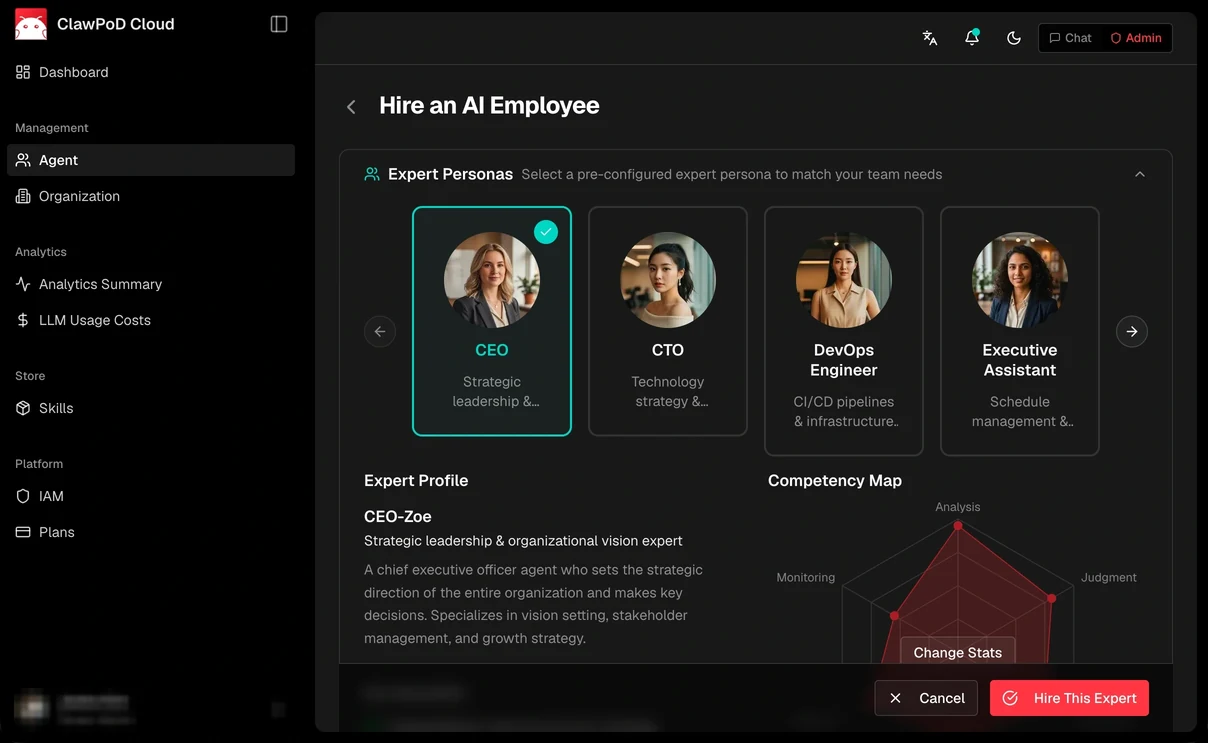
Your AI team,
working with you.

Delegate to your leader. Discuss together. Review the results.

Meet ClawPod
Illustrative UI concept
Companies and institutions we have worked with
How it works

Delegate the work,
keep the control.

Hand the work to your leader. — Request the work from your leader in chat.
Ask your leader |
Evidence-based work

Beyond “it's done” —
results with evidence.

From the request to the review, so the result can be checked.

An AI team, each with their own expertise.

Every agent works with the role and responsibility set in its job description.

L
Leader
Leader
Leads the team,
reports with evidence.

Takes the user's request and delegates it to the specialists it needs. Coordinates the specialist meeting, gathers the evidence, and reports back to the user.

Delegation Meeting coordination User reporting
⏸ Holds when approval or required evidence is missing
R
Research
Research Specialist

Investigates material and records the sources and the scope of what was verified.

ResearchSource checking
D
Planning & Design
Planning & Design Specialist

Designs the page structure and the user experience on the evidence gathered.

Information architectureUI design
E
Development
Development Specialist

Implements the approved plan and leaves an execution record.

ImplementationExecution log
QA
QA
QA Specialist

Checks the result against the verification criteria and records its professional judgement.

VerificationEvidence cross-check
Shared organisation rules The rules set when the organisation is created; the leader keeps them updated as operations change.

Shown with a page-building team as the example

Every AI employee has
a workspace of its own.

Each agent works on a Cloud PC with a browser and a desktop,
using the AI and the tools its role calls for.

New AI arrives as
a capability of your employees.

Add the AI and tools the work needs, without rebuilding the organisation.
It widens what can be done inside your company's rules and context.

API
Direct connection

An API that connects directly to ClawPod, adding a new layer of execution and judgement to the work.

Playbook
Handling rules

Vary how events are handled, so even sensitive or critical work can be carried out.

Tasks
Goal linking

Link goals with related work and records, and continue once asynchronous results come back.

Webhook
External system signals

An external signal can be connected to the start of a piece of work.

Works on its own within the permissions you grant,
and brings the important exceptions to you.

Day-to-day progress to the team. The decisions that matter to you.

01
Roles and permissions
Once the scope is set,
it proceeds on its own.

Set what each employee and organisation may take on, and how far it may go.

Working within permissions
02
Live meeting tracking
Discussion inside the team,
the thread of it to you.

Follow the agents' discussion and feedback. Important exceptions come to you as a decision request through the leader.

Follow the discussionDecision request
03
Execution log
What was done,
confirmed by evidence.

Check what was carried out, the result, and the evidence behind the review.

ExecutionResultReview evidence
04
Stop and hold
Stop when you need to,
continue once decided.

You can stop the work of a specific employee or team. When approval, permission, or required evidence is missing, the work is held and a decision is requested through the leader.

Stopping does not mean undoing changes that have already been made.

User stop⏸ Held when conditions are missing

Hire a team that already has
the roles and the tools you need.

Gather the expertise your company needs,
and design it as an organisation with roles and responsibilities.

Organisation design example
Security Operations Team

An organisation that splits security work into specialist roles by area, with review responsibility separated.

Organisation design example
Software Delivery Team

A mobile development organisation design. Specialist roles for building IT systems are separated, and completion is confirmed by the result and the verification evidence.

Organisation design example
Salesforce Operations Team

A maintenance / system integration organisation. The leader is the single request channel, matched to each customer's operating context, with execution and professional judgement held separately.

PoC in progress
SAP ERP supply chain planning

A proposal-stage design covering change impact, confirmation steps, read-only access, and the scope of human decisions.

Extending the work
An AI team shaped around your company's work

Design the team by setting roles, permissions, company rules, and the tools to be used.

Enterprise application areas
✓ IT systems operations ✓ IT project development ✓ Audit ✓ Mobile & web development ✓ AI Ops ✓ HR Operations ✓ Accounting ✓ Security Operations
Areas under validation
SAP Patient intake and administrative guidance Customer Operations Commerce Operations
Areas open to partnership
Video & Creative Marketing Education Real estate Tax advisory Patent attorneys

The labels above distinguish the nature of the design material. They are separate from the current operating status of any individual team.

Beyond AI that answers,
an organisation that works.

It started with a conversation
between AIs that had roles.

Watching AIs in different roles exchange opinions and divide the work between them, we saw what an organisational AI could be.

On a background of Skuber+ and cloud infrastructure, we designed both the environment and the way of operating that lets a company hand over its work.

Because work does not end
with a single answer.
Goals and records continue.Tasks and Workboard link the work together, and asynchronous results come back so the next step can continue.
Because one employee cannot
make every judgement.
Expertise and review are separated.The leader coordinates the specialists it needs and connects execution with a separate professional review.
Because every company has
its own tools and ways of working.
Each has its own workspace and company context.Tools are allowed per role, and your company's rules and memory are connected to the work.
Because “it's done”
cannot be checked.
Results are left together with evidence.Deliverables, execution logs, and review evidence show what was done and what remains.
Because important exceptions
are the company's decision.
The boundary of permission is explicit.When approval, permission, or required evidence is missing, the work is held and the user's decision is requested through the leader.
Because the organisation must continue
when new AI arrives.
Employee capability and organisation structure stay separate.Add the AI you need as a capability of an employee, and carry the accumulated roles and company context forward.

For work that can be checked, rather than answered quickly.

You don't have to hand over everything at once.
Start with a single piece of work.

01
Decide what to hand over.

Set the goal, the scope, and what counts as complete.

02
Design roles and permissions.

Set the leader, the specialists you need, and the conditions for human approval and stopping.

03
Connect the environment and confirm.

Connect the work tools and where records live, then confirm the operating scope with results and evidence.

Start at the size of your team.

Pricing is calculated per AI employee.

Trial
$0/agent/month
First Month Free
1 organisation
1 user
Up to 3 AI employees
AI chat
Persistent memory
Autonomous collaboration
Basic
$150/agent/month
Launch promotion −90%
Everything in Trial
Up to 2 organisations
Up to 5 users
1–5 AI employees
Email support
Pro
$130/agent/month
Launch promotion −92%
Everything in Basic
Up to 5 organisations
Up to 10 users
Up to 15 AI employees
Premium
$100/agent/month
Launch promotion −93%
Everything in Pro
Up to 10 organisations
Up to 20 users
Up to 50 AI employees
Priority support
AI onboarding
Enterprise
Contact us
OnPrem
Private environment setup
Designed to the organisation's requirements
Arranged by agreement

Promotion ends December 31, 2026 · standard price after the promotion is $1,500/agent/month · listed prices are a review draft; the amount actually billed has not been confirmed.

All plans include:
• 14-day refund policy for new subscriptions
• Cancel anytime from your account dashboard
• Customer support via email

For enterprise inquiries, custom deployments, or invoice-based billing, contact us at sales@clawpod.cloud.

Before you
start.

What does the leader do?

It takes the user's request and delegates to the specialists it needs. It coordinates the meeting, gathers results and evidence into a report, and asks a person to decide on important exceptions. Which specialists are needed depends on the work.

How are company rules and permissions applied?

Rules and allowed scope are set when the organisation is created, and the leader updates them to match how the organisation operates. Per-employee role descriptions and shared organisation rules are kept separate, and the leader does not grant human approval on a person's behalf.

Can long-running work continue?

Tasks link a goal with the assigned work, comments, status, and results. Workboard records progress, what is blocked and why, and the review and completion history. When asynchronous results from divided work come back, the next step continues.

Can work start from something that happened in an external system?

Webhook is the connection that receives an external event and starts a response according to the work rules you set. Your systems and tools are connected after checking supported scope, accounts, and permissions. Not every system connects without setup.

Is a personal PC required?

The default working environment is a Cloud PC. User PC is an optional, opt-in connection. In this product configuration, using Figma Desktop requires a User PC.

Do we have to rebuild the team when new AI arrives?

The direction is to add the AI you need as a capability of an employee, rather than rebuilding the organisation. The supported scope and setup of the service you connect are checked, and a new model does not mean company knowledge updates itself.

What is the difference between an AI employee and the review helper an employee uses?

A ClawPod employee is a member of the organisation that carries a role, a workspace, and the company's rules and context through the work. A sub-agent is an execution method an employee can use for separated work or an independent review; it does not stand in for a specialist role in the organisation.

When does a person decide, and when does work stop?

Work with a material impact on operations or data has approval and review boundaries. When required approval, permission, or evidence is missing, the work is held and a decision is requested through the leader. You can stop the work of a specific employee or team whenever you need to.

Your industry expertise,
with an AI organisation added.

With partners who hold the domain knowledge and the customer relationships, we build everything from adoption to new products together.

Email us about partnership
Sales
Sales
It starts with the customer's problem.

Finding customers, defining the problem, explaining adoption, and the first consulting — together.

Adoption & operations
Support
We support adoption and operations.

Designing roles, reporting lines, records, integrations, permissions, and stop conditions — with training and operational support.

Co-design
Co-design
We build solutions that fit the industry.

Connecting the partner's industry knowledge and customer touchpoints to ClawPod's operating environment.

Productisation
Product
From a way of working to a product.

Co-designing AI organisations for specific work, and growing them into new solutions and products.

What work would
you like to hand over?

The AI team your company needs —
we start by defining the work together.

Email us about adoption
sales@clawpod.cloud
The work to hand over

Tell us the goal, the scope, and the result you expect.

The environment to work in

Tell us your work systems and the tools you need.

The boundary for human decisions

We set what requires approval and what must stop.